No products in the cart.
Roll over image to zoom in
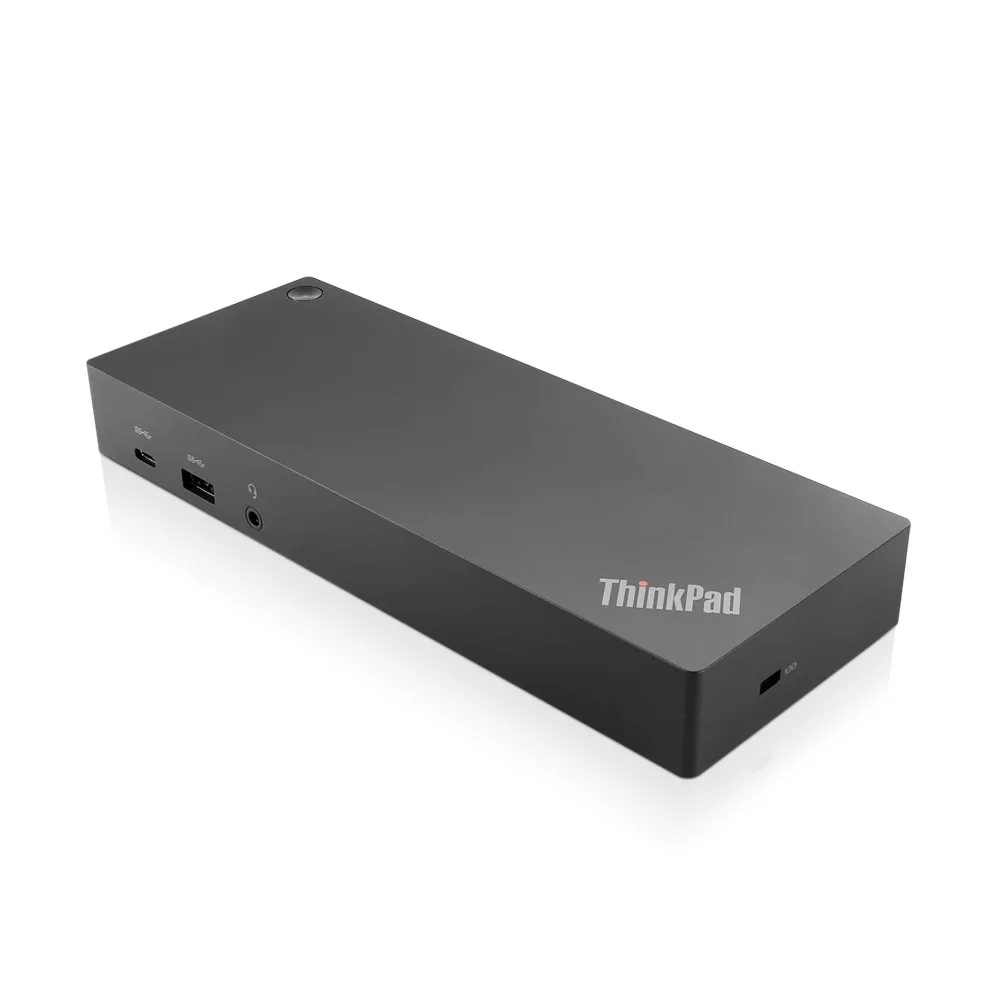
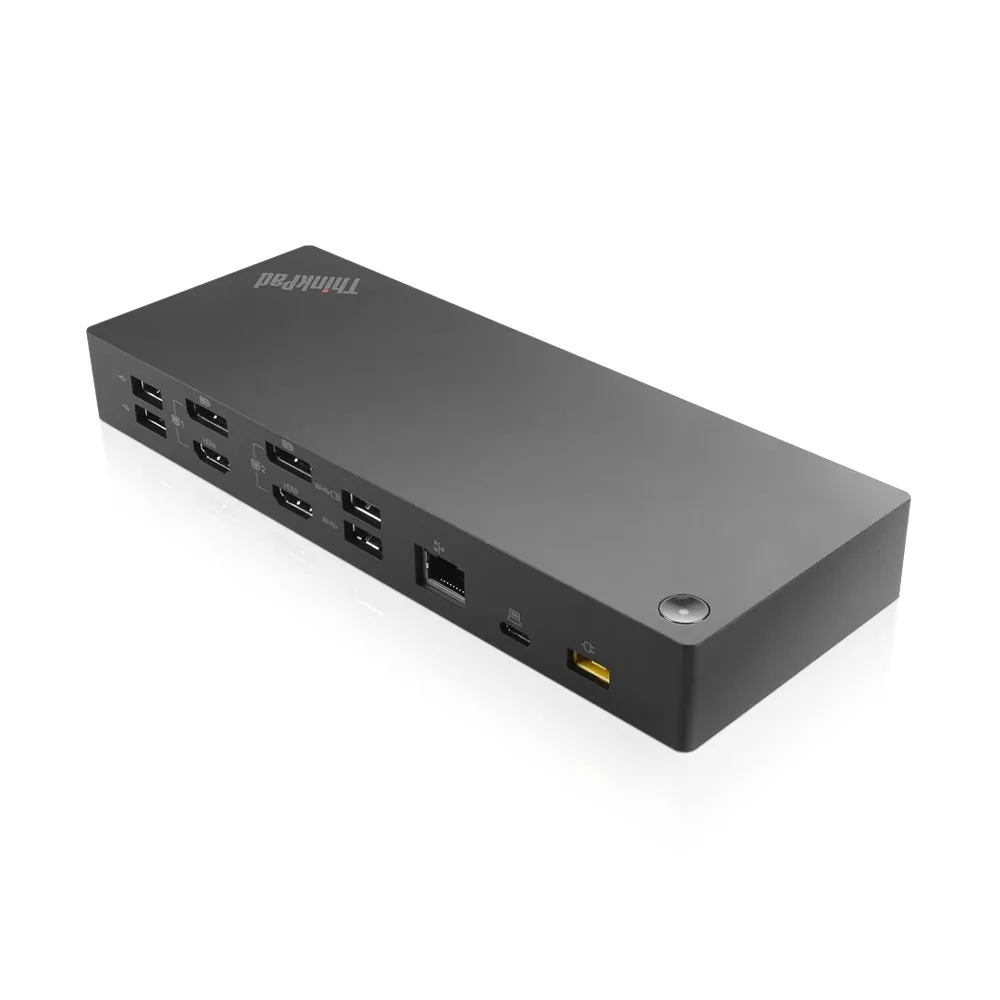
Lenovo ThinkPad Hybrid USB-C with USB-A Dock – Dual 4K, 90W USB-C Charging (40AF0135UK)

 WhatsApp
SKU:
40AF0135UK
Categories: Docking Station, Lenovo Docking Station
Tags: Dual Monitor Docks, Laptop Accessories, Lenovo ThinkPad, USB-A Docking Stations, USB-C Docking Stations
 Brand: LENOVO

Description
Lenovo ThinkPad Hybrid USB-C Dock for shared desks
The Lenovo ThinkPad Hybrid USB-C Dock lets employees use the same desk whether their laptop connects through USB-C or USB-A. Leave the monitors, keyboard, mouse and network cable at the desk. When you arrive, connect your compatible laptop to the dock. When you leave for a meeting, unplug the laptop without disturbing the rest of the setup. 40AF0135UK
Two 4K monitors for side-by-side work
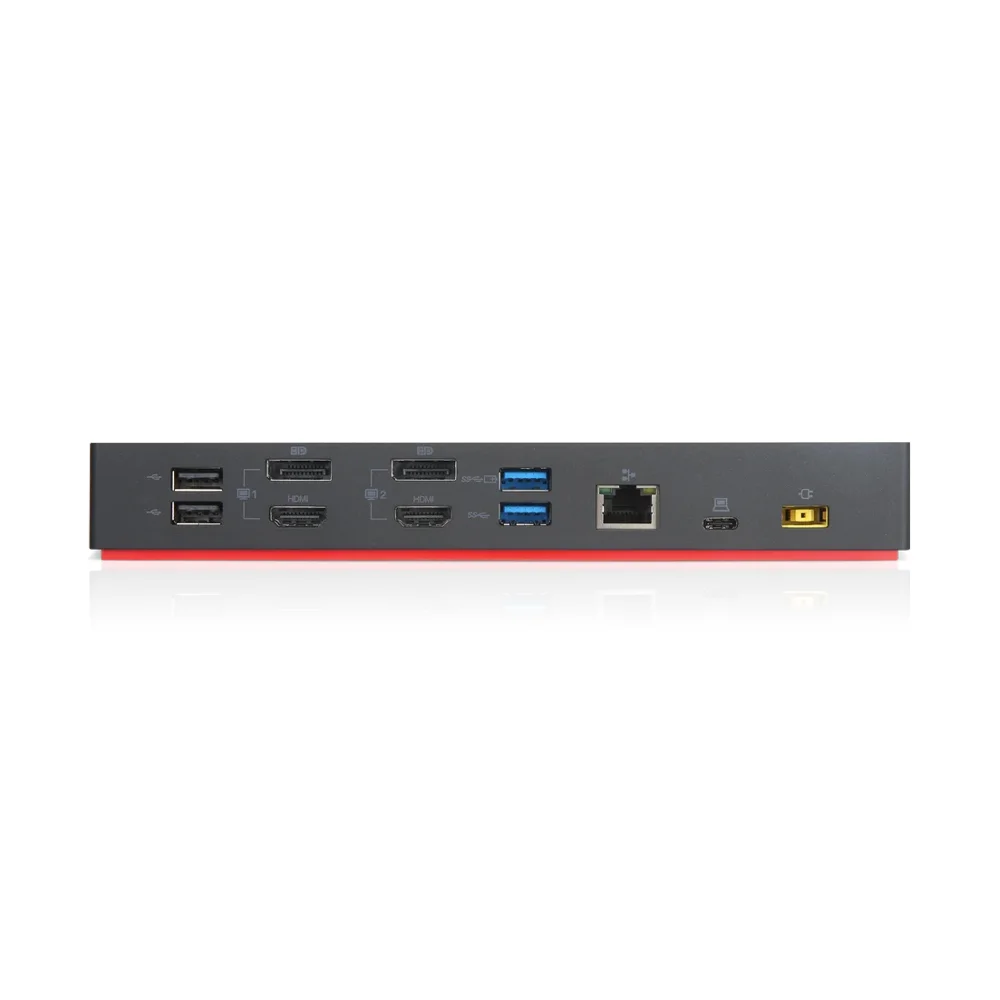
The dock supports up to two external 4K displays at 60Hz on a compatible setup. For example, an accounts team can keep an invoice open on one screen while checking entries on the other. HDMI and DisplayPort connections give you flexibility when pairing existing monitors. Before ordering, check each monitor’s input and resolution so you can choose the right cables. 40AF0135UK
USB-C charging and USB-A compatibility
With a compatible USB-C laptop, the dock delivers up to 90W of charging power. The 135W rating refers to the dock’s own power adapter. If your laptop connects through USB-A, you can use the dock for displays and peripherals, but you still need the laptop’s charger. This distinction matters when choosing one dock for an office with several laptop models. lenovo.com
Check your setup before ordering
For a shared desk, start with the laptop that needs the most power and the monitors with the highest resolution. Compare those requirements with Lenovo’s dock specifications. If your IT team manages software installations, check the DisplayLink driver requirements before rolling the dock out across the office. Lenovo Support BY
For pricing or a bulk quotation in Dubai, contact Supertech Computer Trading with part number 40AF0135UK, your laptop and monitor models, and the number of desks you need to equip.
Specifications
| Color | Black |
| Max Number of External Monitors | 2 |
| Weight | 480 g (1.05 lbs) |
| Refresh Rate | DisplayPort: 3840 x 2160 @ 60 Hz; HDMI: 3840 x 2160 @ 60 Hz; Bundle DisplayPort 1 & DisplayPort 2 to the monitor: 5120 x 2880 @ 60 Hz;; “Maximum resolution” refers to what can be supported by the dock. Actual resolution will vary by laptop. |
| AC Plug | UK Standard Plug Type G |
| Hardware Requirements | Machine with full function USB-C port or USB 3.0 Port |
| Warranty Type | CRU |
| Output Power | 90 W |
| Brand | ThinkPad |
| OS Requirements | Windows 11, Windows 10, Windows 7 |
| Agency Approvals | BSMI, CB, CE, cULus, EAC, FCC/ICES, Israel SII, KCC, LoA, NOM, RCM, Serbia Kvalitet, TUV Mark, Ukraine DoC, VCCI |
| Audio Ports | 1 x 3.5 mm Stereo/Mic Combo Port |
| Charging Port | ThinkPad Slim-tip Port |
| USB Ports | 1 x USB-C (Data, 5V/3A power); 3 x USB 3.1 Gen2 (10 Gbps, 1 always-on); 2 x USB 2.0 |
| Video Ports | 2 x DisplayPort 1.2; 2 x HDMI |
| Package Type | Brown box |
| Warranty Period | 3 Years |
| Maximum Operating Temperature | 35 degrees Celsius (95 degrees Fahrenheit) |
| Minimum Operating Temperature | 0 degrees Celsius (32 degrees Fahrenheit) |
| Driver Needed | Preloaded in select ThinkPad laptops |
| Input Power | 135 W |
| Power Button | Yes |
| Power Delivery | Yes |
| Shipment Group | ThinkPad Hybrid USB-C with USB-A Dock;ThinkPad Slim-tip 135 W AC power adapter;1m USB-C Cable with USB-A Adapter;Power cord;Product information, safety and warranty poster |
| Compatibility | E580, E480, E470, L580, L480, L470, L380, L380 Yoga, Lenovo Tablet 10, Miix 520-12IKB, T580, T570, T480, T480s, T470, T470s, T460, ThinkPad 25, X1 Carbon Gen 6, X1 Carbon Gen 5, X1 Yoga Gen 3, X1 Yoga Gen 2, X1 Tablet Gen 3, X1 Tablet Gen 2, 13 Gen 3 Windows, X280, X270, X260 |